
Chat Companion
We host your online language exchange practice using the chat companion. Running along side your chat room (any voice or text chat software), it provides:
| Lesson plans specifically designed for online language exchange practice. | |
| A timer that tells you when to switch to the other language, so you can have a fair exchange. | |
| Your own notepad so you can record new words, expressions and slang. You can also search through your previous notes. | |
| A multi-language dictionary. |
Launch chat companion now!
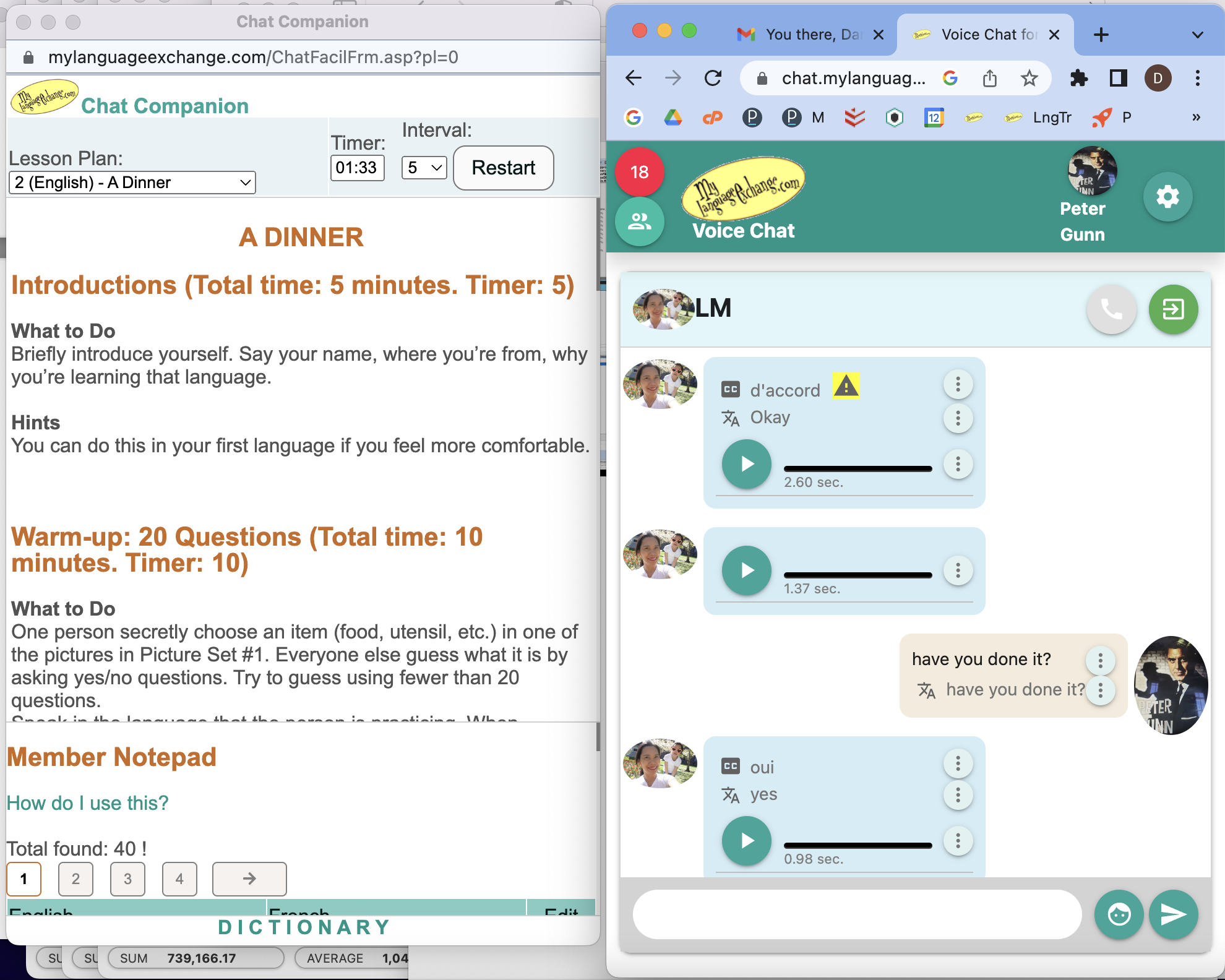
Although the chat companion can run along side any chat software, we highly recommend our own language exchange voice chat for its assistive intelligence, like live captioning in 130 languages and local accents and live translation. The picture below shows how the chat companion works with our voice chat app.
|
Voice Chat Program with Language Assistance
Please visit our voice chat page to learn about our own voice chat app with language assistance and auto speech recording.Launch Chat Companion
Just do this to start practicing.
Step 1:Launch chat companion.
Launch chat companion now!
Step 2: Start the voice and video chat program. You will need to resize this browser window if it is wide like on a typical desktop.
Use voice and video chat now!